Cut anywhere
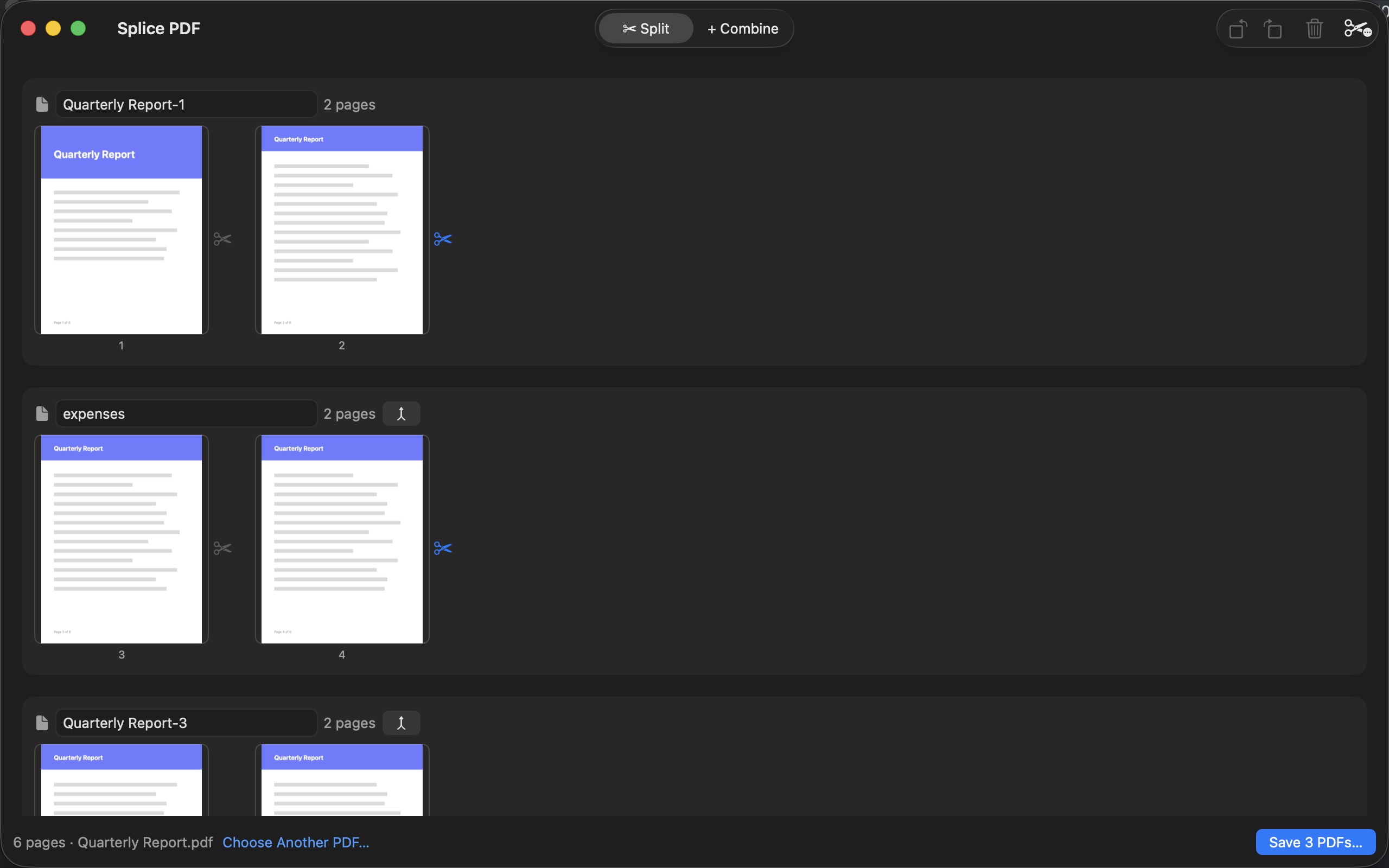
Click between any two pages to place a cut. Each segment becomes its own PDF, named the way you want, all saved in one go.
Split one PDF into many, or combine many into one — with a fast, native Mac app that never lets your documents leave your Mac.
macOS 14 or later · $2.99 one-time purchase, no subscription
Why Splice PDF
Click between any two pages to place a cut. Each segment becomes its own PDF, named the way you want, all saved in one go.
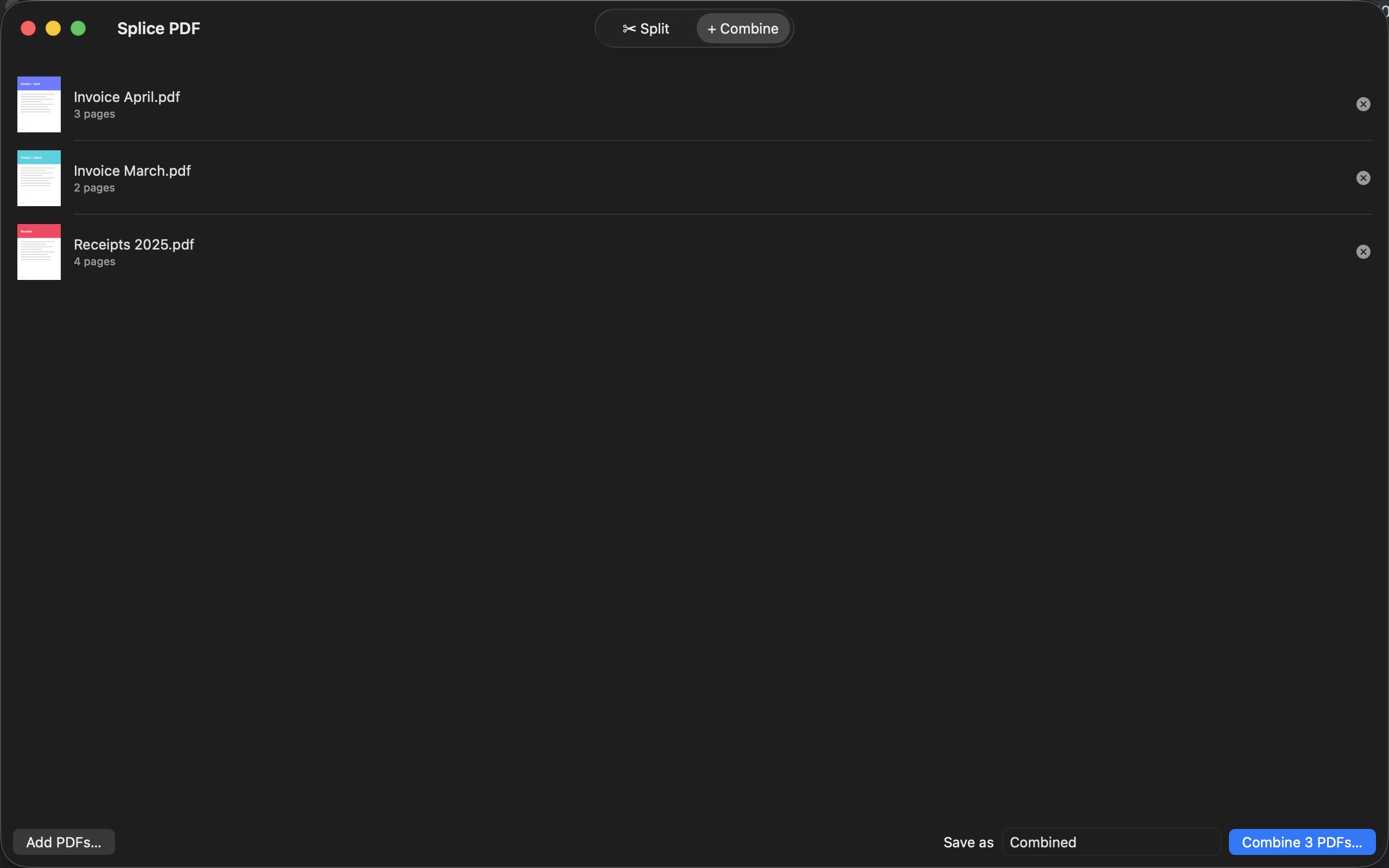
Drop in a stack of PDFs, drag them into order, and stitch them into a single document. Drop several files at once and combine mode opens itself.
Drag pages around, rotate them in 90° steps, delete the ones you don't need — with live previews the whole time.
Every page operation is undoable with ⌘Z. Experiment freely; your original file is never touched until you save.
No page caps, no daily quotas, no "upgrade to pro" nags. A 500-page PDF splits as easily as a 5-page one — and nothing gets stamped on your documents.
Sandboxed, offline, zero telemetry. Your documents are processed entirely on your Mac by a bundled, battle-tested engine.
Open a PDF and see every page laid out. Click the gap between two pages to cut there — as many cuts as you like. Name each piece, hit Save, and get clean, separate PDFs in seconds.
Drag PDFs in from Finder, arrange them top to bottom, and merge them into one document. Page counts and previews keep you sure of what you're stitching before you commit.
Privacy
Splice PDF has no servers, no accounts, and no analytics — it doesn't even talk to the network. Read the whole policy in under a minute: Privacy policy